IPAY9 login is the bookmark you saved, then the username and password from the day you registered. Open IPAY9 yourself, tap Login on that page, and stop when the ringgit wallet on that account is on screen. A WhatsApp blast that says the domain moved is how logins get stolen.
Have three things on hand: the bookmark, the username you can still spell, and the password you saved when you finished IPAY9 registration. If that form was never completed, Login will not create the account. Go back to Signup on the same bookmark.
Open the bookmark before you type anything
Chrome or Safari is enough. Tap the bookmark, or type ipay9. my if the bookmark is missing. Wait for the full page. Read the host letter for letter, not the tab title. A padlock on a longer name wrapped around ipay9 still shows a padlock. Extra hyphens, a swapped digit, or “ipay9” buried inside a longer host are the usual tells.
Login sits next to Signup at the top on a laptop. On a phone, open the menu if the header is collapsed. You want the form on the site you typed. A login box that arrives as an image in WhatsApp, Telegram, SMS, or a story ad is a different page, even when the blue banners match.
Clone pages can copy the art. They rarely copy 10-1, Jalan 22/70A, Desa Sri Hartamas, and +60 3-6201 4999 in the same footer. If those lines are missing, or the page asks you to send ringgit to a personal name “to unlock login,” close the tab. Return to the bookmark. Do not pay that name to get in.
- Open ipay9.my from the bookmark. Confirm the host.
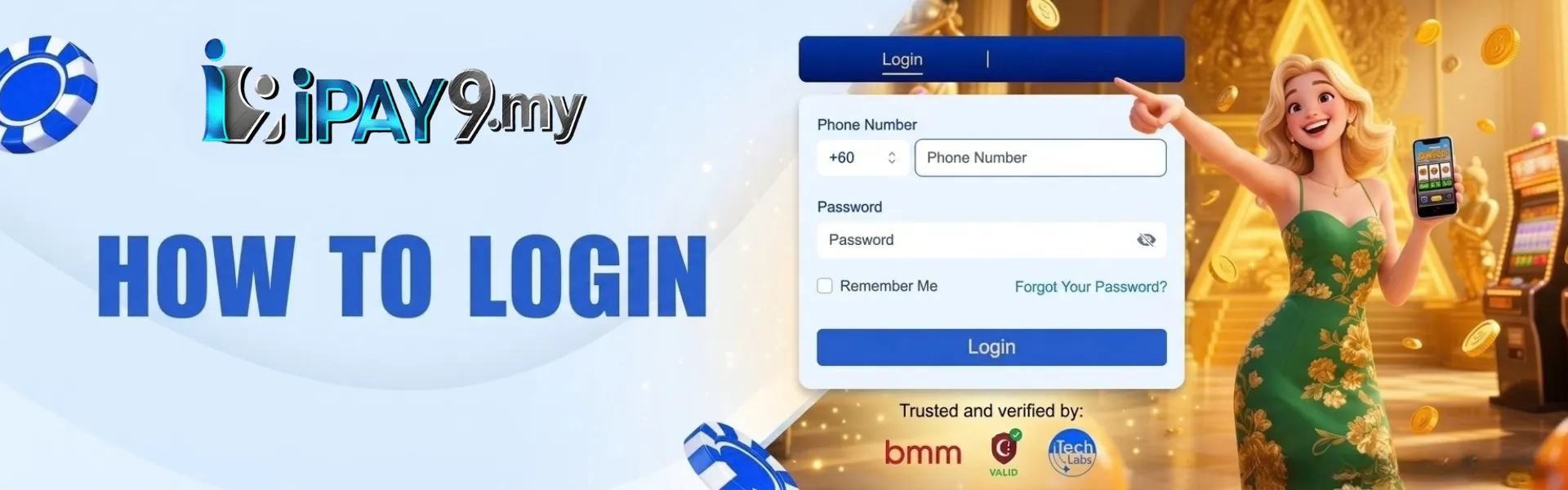
- Tap Login. Stay on that form.
- Type the username, then the password. Check Caps Lock before you submit.
- Land on the account that shows your RM wallet. If the screen prompts you to transfer to a private account, you are on the wrong page.
- Sign out when you finish, especially on a shared phone.
Use the same username you registered
The login is the username from Signup, not a nickname you use in a group, and not the name on your bank book unless you typed that as the username. The legal name still matters later, at deposit and withdrawal. Staff at the Hartamas desk match that name when you leave. The login field is the handle you picked.
Username. Type it the way the checker accepted it, including any number you added because the first choice was taken. A space you did not save will fail. If you are unsure, open the note you wrote that day. Do not guess three variants in a row and then open a new Signup.
Password. The string from registration, or the one you set the last time you reset it. Mixed letters and numbers. Staff will not ask you to paste the full password into a private message so they can “check the login.” Anyone who asks for that is not the desk.
A second account. One person, one file. A second username does not repair a forgotten password. It can hold both logins when withdrawals are checked. Recover the first file from the bookmark.
Before you tap the button, confirm these on the same screen:
- The address bar still says ipay9.my
- The username matches the note from registration
- Caps lock is off
- You are not on a public computer with the password saved in the browser
What a real login shows
A successful login displays your account and wallet. Credits stay in ringgit. Slots, live casino, the sportsbook, fishing, cards, lottery, and instant win share that one balance. You do not get a second login to move from a spin to a match.
The cashier on that login is the only place a deposit starts. Methods change by the day. Maybank, CIMB, and Public Bank are common when those channels are listed. Visa, Mastercard, Google Pay, and Apple Pay appear on the strip when those options are live. If a method is missing, it is missing for that session. A number in a chat is not a method the cashier forgot to print.
Read the wallet labels before you play. Bonus funds and unfinished turnover stay on their own line until the live card says they are clear. The withdrawable figure is the one that can leave. A login that hides the balance and asks you to pay an agent first is a clone.
| After you submit | What to do |
| Wallet and game lists on ipay9.my | Stay. This is the account. |
| A request for your SMS code or full password in chat | Close the chat. You are already logged in, or you are on a fake page. |
| A personal bank name “to activate” the session | Close the tab. Open the bookmark. Start one ticket with the fake URL. |
| A file to install before the lobby opens | Do not install it. The browser lobby is enough. |
If the password is gone, reset it on the bookmark
Stay on the Login screen you opened from the bookmark. Use the reset on that screen. The code or link goes to the Malaysian mobile number or email on the account. Type the newest code. An older SMS from yesterday will not open today’s reset.
Set a new password that you do not reuse from your email or your bank app. Store it in a password manager you already trust. Taking a screenshot in the camera roll is a bad idea on a shared phone.
Confirm the code yourself. Do not read it out on a call that found you. Do not hand it to anyone who claims to be IPAY9 staff, the Hartamas desk, or your agent. The desk on Contact Us will not ask for that code. If you already typed it on a lookalike, stop. Reset again from the bookmark. Start one ticket with the fake URL and a full-screen image that shows the clock.
A new Signup tap is not a reset. If the username already exists, the form will say so. That message means the file is there. Go back to Login.
Shared phones, and when to sign out
Sign out when the sitting ends. A family phone keeps the session if you only close the tab. The next person can open the wallet without the password. Turn off “remember this device” on any handset you do not keep in your own pocket.
Skip public Wi-Fi and public USB while the password is on screen. Home data or your own Wi-Fi is the cleaner path. If you borrowed a laptop, sign out and clear the saved password before you hand it back.
One login at a time is enough. Opening the same account on two phones does not speed a deposit. It is how people later argue about which screen placed a bet. Finish on the phone you are holding.
Browser first, then the app
The website already loads in Chrome or Safari. You do not need an install to reach Login. If you want a home-screen icon and the leaderboard, take it from the app page on this domain. A file sent via a private message is not from the official app, even if the icon looks right.
The app uses the same username and the same RM wallet. The balance shown in the browser is the same as the balance in the app. If the app asks you to register again, you opened the wrong file. Delete it. Return to the bookmark in the browser and log in there.
If login fails
| What you see | What to do |
| Wrong password | Check Caps Lock and the username. Then use reset on this bookmark. Do not register again. |
| No reset code | Check signal. Confirm the +60 number on the account. Request a new code. The newest code is the one that works. |
| Page will not load | Confirm the bookmark. Try the other browser, Chrome or Safari, on home Wi-Fi. Do not install a file from chat. |
| A new “official” link in a message | Ignore it. Type ipay9 yourself. Store +60 3-6201 4999 from the live footer. |
| Someone asks for the password or the SMS code | That is not the Hartamas desk. Close the chat. Change the password on the bookmark if you already typed it. |
| You already have an account, and Signup says the username is taken | That file exists. Use Login, then reset if needed. |
If the screen is still stuck, stay on the bookmark. From Contact Us, send the username, the Malaysia time, and one full-screen photo that includes the address bar. Leave the password out of the chat. Opening three tickets with the same photo slows the check.
Call +60 3-6201 4999 when the chat is queued. In Malaysia, that line dials as 03-6201 4999. The office is 10-1, Jalan 22/70A, Desa Sri Hartamas, 50480 Kuala Lumpur, Wilayah Persekutuan, Malaysia. You do not need to visit Hartamas to get back in. Save the number. A message that says the hotline has changed is not from IPAY9.
After you are in
The login is not a reason to deposit. If you came back to play, open the cashier and copy the amount and reference from the signed-in screen for an account in your own name. Keep the receipt until the wallet updates. Playing with the deposit only is allowed. A random extra can lock the money until turnover is finished.
Current cards sit on promotions. Open the live card after logging in if you want the extra, and note whether it requires a deposit, what you must wager, which games count, and whether a cash-out cap is printed. A screenshot from last week is not today’s card.
About twenty minutes on slots, or one live table if you want a dealer on camera, is a full sitting. Stop when the amount you wrote down is gone. Sign out.
Questions about IPAY9 login
How do I log in to IPAY9?
Open the bookmark you saved for IPAY9. Tap Login on that page, and enter the username and password from registration. Read the host before you type. A link in a chat is not the login page.
I forgot my IPAY9 password. What do I do?
Stay on the bookmark and use the reset on that Login screen. The code or link goes to the +60 number or email on the account. Do not open a second sign-up. Staff will not ask you to send the new password in a private message.
Can I log in to IPAY9 on the app and in the browser?
Yes. It is the same account and the same ringgit wallet. Chrome or Safari is enough. Install an app only from the app page on ipay9.my. A file sent in a private message is not the official app.
What if a message sends me a new IPAY9 login link?
Leave it. Type ipay9.my yourself or open the bookmark. A message that offers a new official domain is how logins get stolen. The listed line is +60 3-6201 4999. The office is in Desa Sri Hartamas.
Who do I contact if my IPAY9 login is stuck?
Stay on the bookmark and open Contact Us. Live chat is the starting point. Call +60 3-6201 4999 when the chat is queued, with the address bar visible in a full-screen photo. Nobody from IPAY9 will ask for your full password or OTP.